How to tell if a website uses WooCommerce: the signs that hold up on real stores
The marks WooCommerce leaves in a page, the address that confirms it, and the signs other platforms share, checked on ten real WooCommerce sites and with the free detector.

You are looking at an online store and you want to know what it runs on. Before you plan a migration, study a competitor or quote a job, it is the first thing to know. WooCommerce does not put its name on screen, but it leaves marks in every page.
Checking by hand takes two steps. Open the page source and search for woocommerce. A WooCommerce store shows it in a body class, woocommerce-no-js, and in file addresses that contain plugins/woocommerce/. On six of the ten sites we checked, a generator tag also gave the version. To confirm, add /wp-json/wc/store/v1/products to the domain: all ten WooCommerce sites we checked answered with a list of products.
For a faster answer, the free WooCommerce detector works from the store's domain alone. It adds the theme, the plugins and the number of products.
Here is what those marks look like in a page's code:
<meta name="generator" content="WooCommerce 10.8.1" />
<body class="… woocommerce-no-js …">
<script … src="…/plugins/woocommerce/…/woocommerce.min.js?ver=10.8.1" …>
These three lines come from the home page of the Woostify theme's public demo, shortened where marked. Each one is a mark WooCommerce leaves in a page. We looked for them on ten WooCommerce sites, compared with sites built on other platforms, then ran the detector on the sites that have a domain of their own. Not every mark was on every store, and one address that looks like proof also answers on Shopify.
How this was checked
October 11, 2026. Ten WooCommerce sites running versions 10.6.2 to 11.3.0: five theme vendors' demos, woocommerce.com, the WordPress swag store, two merchants' stores and the WordPress host behind a headless demo. For comparison: wordpress.org, two Shopify stores and a BigCommerce demo. Each site received a handful of ordinary page requests with curl, and two demo home pages were opened in a browser. The detector results come from the free tool as it runs today.
The marks WooCommerce leaves in the page source
Right-click the page and choose View Page Source, or press Ctrl+U (Cmd+Option+U on a Mac). Then search the source for woocommerce with Ctrl+F (Cmd+F on a Mac).
| Mark | What it looks like | Found on |
|---|---|---|
| Body class | <body class="… woocommerce-no-js …"> |
10 of 10 sites |
| File addresses | …/plugins/woocommerce/assets/… |
9 of 10 sites |
| Script settings | var wc_add_to_cart_params = {…} |
9 of 10 sites |
| Generator tag | <meta name="generator" content="WooCommerce 11.2.0"> |
6 of 10 sites |
The body class is the one to look for first
WooCommerce adds woocommerce-no-js to the body tag, and it was on the home page of all ten sites. If you look in the browser's inspector and not in the page source, the same class reads woocommerce-js: a small script swaps it once the page runs. Both spellings can be read in WooCommerce's own template code, which also prints the generator tag.
The generator tag is a bonus
When the tag is there, it gives you the version: we read numbers from 10.6.2 to a development build of 11.3.0. Four of the ten sites did not carry it. On two of them, the only generator tag in the page named a caching plugin.
A store without the tag can still show its version. On those four, the WooCommerce file addresses ended with it, as in …/woocommerce/assets/js/frontend/add-to-cart.min.js?ver=11.2.1.
Search for the short path
The full path, /wp-content/plugins/woocommerce/, was on eight of the ten sites. A ninth serves its plugins from /app/plugins/woocommerce/, because WordPress lets a site move its content folder. Searching for plugins/woocommerce finds both.
The tenth site had no such address at all. It bundles its scripts and styles into a few files with names like autoptimize_63c2….css, served from a cache folder. Its body class, its script settings and its generator tag were all still in the page.
Look at where the word appears
A match in visible text proves nothing. On the home page of a hosting company the word appeared ten times. It sat in menu links to its WooCommerce hosting offer, in the class name of a case-study card and in a trademark notice. On wordpress.org it appears once, in a script's configuration. Count only the four marks in the table above: the woocommerce-no-js body class, a plugins/woocommerce/ file address, the wc_add_to_cart_params settings and the WooCommerce generator tag.
Addresses you can type to confirm
Type these after the store's domain, in your browser's address bar. Two of the demos live in a folder of their vendor's domain, and there the addresses go after the folder name.
| Address | On the ten WooCommerce sites | On the other sites |
|---|---|---|
/wp-json/wc/store/v1/products |
A list of products, on all ten | wordpress.org: a short error, rest_no_route. Shopify and BigCommerce: their "page not found" |
/wp-json/?_fields=namespaces |
A short list that includes wc\/store\/v1 (the slashes are written \/), on all ten |
wordpress.org: the same kind of list, with no entry starting with wc |
/cart/ |
The cart page, with the body class woocommerce-cart, on all ten |
Both Shopify stores also showed a cart page. No such class in it |
/checkout/ |
With an empty cart, a redirect to the cart page, on all ten | Both Shopify stores redirected too, to their own checkout |
The first address is the strongest sign in this guide. It belongs to the Store API, which WooCommerce provides for storefront features such as product lists and the cart and which, according to the Store API documentation, needs no key. A site that answers it with products is running WooCommerce. Each answer also carried the store's product count, in a response header named X-WP-Total: from 8 to 1,753 on these ten sites.
Open it in a browser. One of the demos answered curl's default request with a 403 error, and answered the same address once the request carried a browser's user agent.
The second address is the index WordPress publishes for its REST API, reduced to one field. It lists the namespaces the site supports, and WooCommerce adds its own.
The cart and checkout addresses are the weak ones. A page that answers on /cart/ tells you there is a store, not which software runs it: look for woocommerce-cart in that page's source. A WooCommerce store can also use other addresses, since the owner chooses which pages serve as cart and checkout in the settings.
Cookies and headers say less than you would expect
None of the ten sites set a WooCommerce cookie when we requested its home page. The cookies WooCommerce documents arrived once the cart was used: after adding one product on two demos, we received woocommerce_items_in_cart, woocommerce_cart_hash and a third whose name starts with wp_woocommerce_session_. On two other sites, opening the cart page was enough to receive that third cookie.
In a browser, the two demo home pages we opened also stored cookies whose names start with sbjs_ on the first visit. WooCommerce lists them under order attribution. You can read a site's cookies in the developer tools, under Application in Chrome or Storage in Firefox.
Response headers, which you can read in the Network tab of the same tools, named WooCommerce on one home page out of ten. The WordPress host of the headless demo listed woocommerce-session among the request headers it accepts. Otherwise they told us about WordPress, through a Link header pointing to /wp-json/ on nine sites, or about the host, with values such as WP Engine or WordPress VIP in X-Powered-By. The two Shopify stores did name their platform, in a header that reads powered-by: Shopify. Headers helped us recognize WordPress or rule WooCommerce out. They confirmed it once.
When the page shows nothing
Two of the sites we tried gave none of the signs above.
The first is the storefront of a headless demo: WooCommerce manages the products, and a separate application draws the pages. Its source had no WooCommerce class, no plugin address and no generator tag, and the Store API address returned "page not found". Its /cart/ and /checkout/ pages answered. Searching the source for wp-content gave the answer: the addresses of the product images named another host, followed by wp-content. On that host, the body class, the plugin addresses and the Store API all answered as they did on the other WooCommerce sites.
The second is a theme demo that answered every scripted request, whatever the address, with a 403 error and a page titled "Just a moment...". A site protected this way has to be checked from your own browser window.
The free detector gives you the answer in one step
The checks above need a page source, four addresses and the developer tools. The WooCommerce detector needs one thing: the domain or subdomain where the store's home page lives. Paste it in, with no account and no access to the site. The report tells you whether the store runs WooCommerce, then lists the theme, the plugins and technologies it can identify. It also says whether the catalog is accessible, with the number of products.
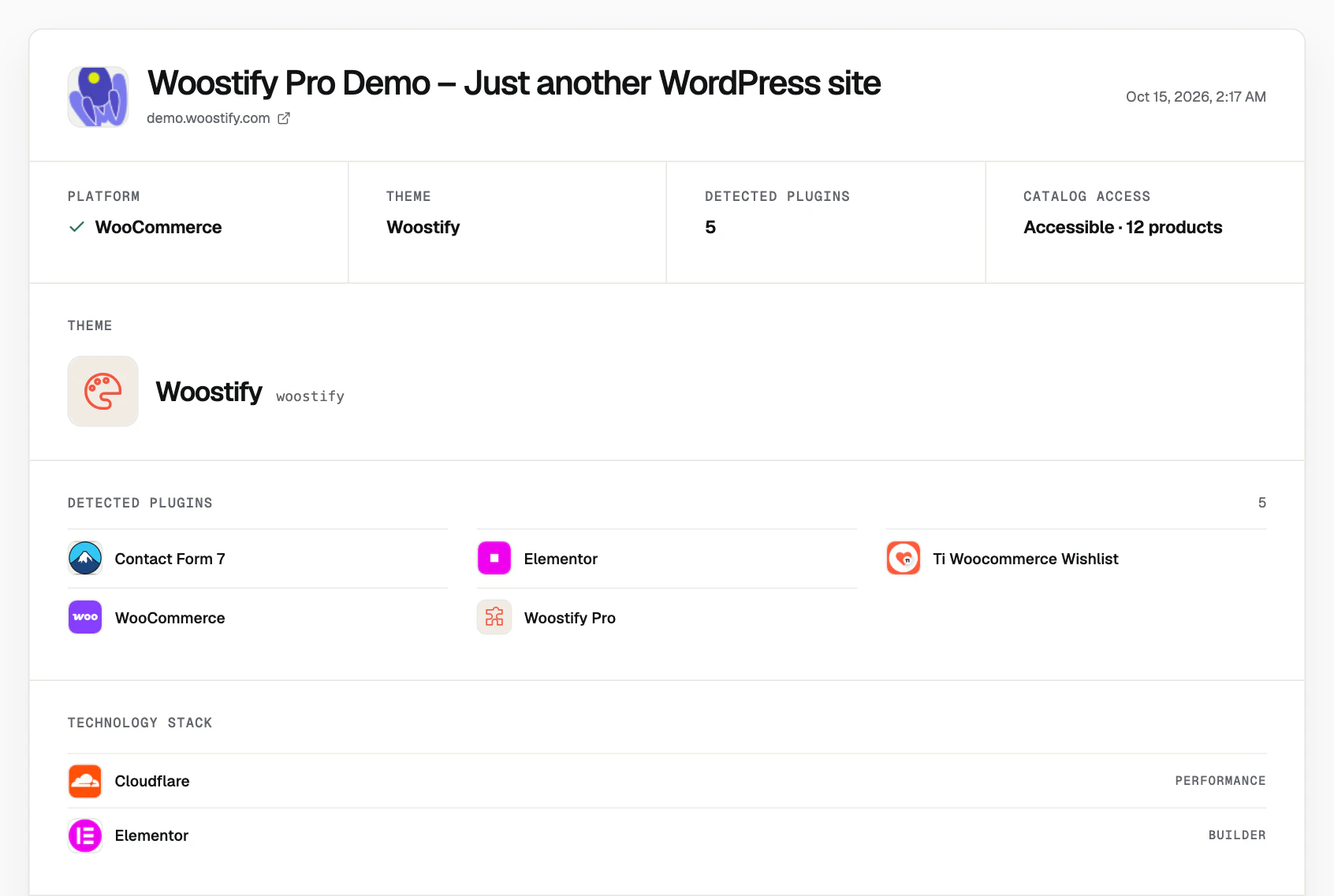
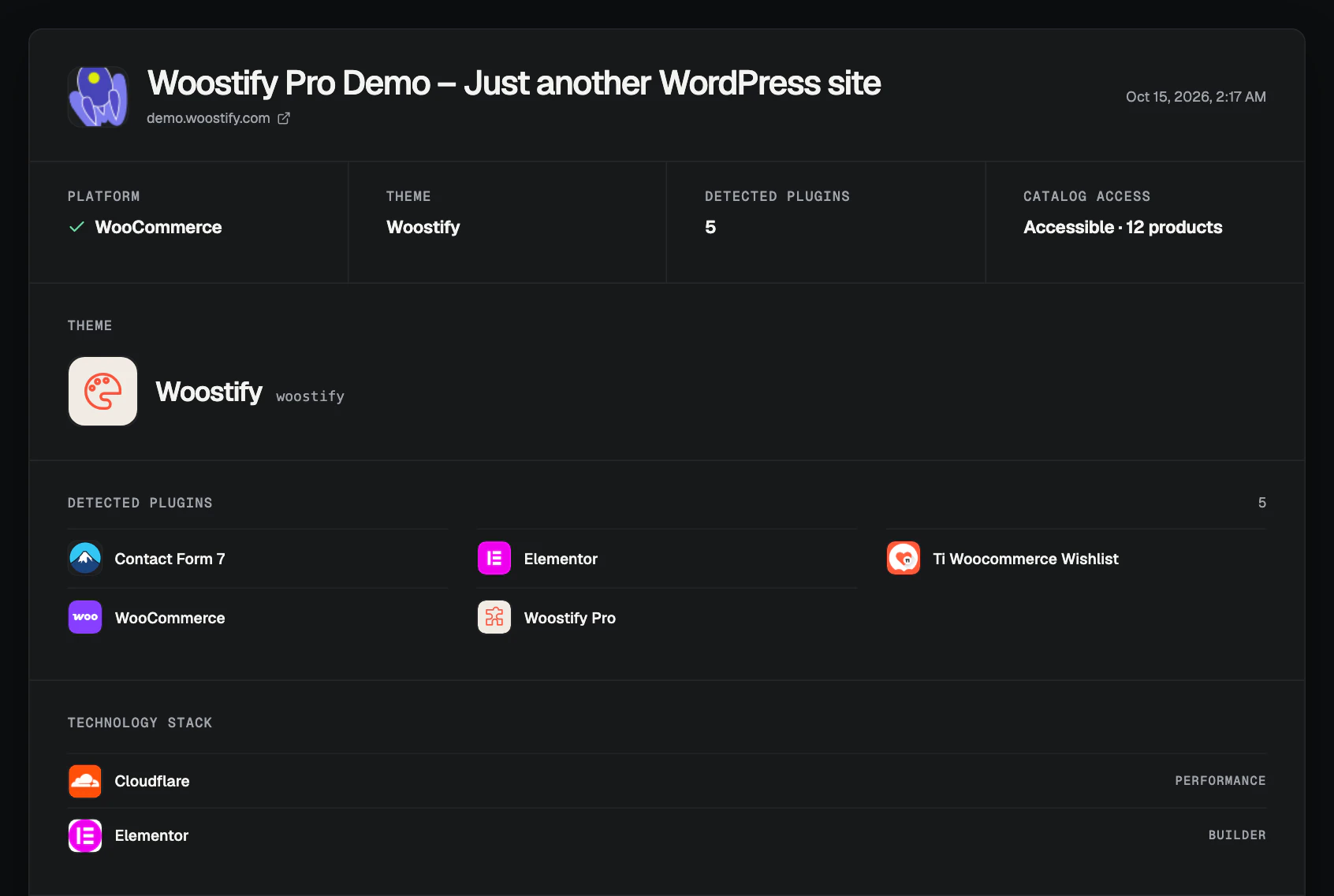
We ran it on twelve of the sites above, each entered by its own domain or subdomain. Each report came back within a few seconds.
| Site | Platform | Catalog access |
|---|---|---|
| Woostify theme demo | WooCommerce | Accessible · 12 products |
| Flatsome theme demo | WooCommerce | Accessible · 67 products |
| woocommerce.com | WooCommerce | Accessible · 1753 products |
| WordPress swag store (mercantile.wordpress.org) | WooCommerce | Accessible · 47 products |
| A theme demo with a moved content folder | WooCommerce | Accessible · 23 products |
| A merchant's store with a custom theme | WooCommerce | Accessible · 54 products |
| A merchant's store behind a page cache | WooCommerce | Accessible · 101 products |
| The WordPress host behind the headless demo | WooCommerce | Accessible · 32 products |
| wordpress.org | WooCommerce not confirmed | Not exposed |
| Shopify's Dawn theme demo and a Shopify merchant | WooCommerce not confirmed | Not exposed |
| BigCommerce's Cornerstone demo | WooCommerce not confirmed | Not exposed |
On the eight WooCommerce sites that have their own domain, the product count in the report is the number the store had given us by hand. Four of them carry no WooCommerce generator tag, and the detector confirmed them like the others. For the Woostify demo, the report also listed five plugins and two technologies, Elementor and Cloudflare.
Under "Limits of this scan", the report says that it "only displays results with sufficient confidence", and the table shows what that means. Where the detector found no WooCommerce sign, the platform line reads "WooCommerce not confirmed". The report still lists what it did find: on wordpress.org, the WordPress theme and one plugin. On the demo with a moved content folder, where the full plugin path is absent from the source, it confirmed WooCommerce and counted the 23 products. For a headless store, enter the host where WordPress runs, as we did above. For a store installed in a folder of a larger site, use the addresses listed earlier, typed after the folder name.
Once you know it is WooCommerce
The catalog line of the report tells you what you can do next. "Accessible" means the store publishes its product list. The report's "Extract the catalog" button leads to ScrapeWoo. There you review the store's categories and products before exporting them as WooCommerce CSV, Shopify CSV, standard CSV or JSON. The guide to collecting WooCommerce products without admin access shows that review on a 24-product catalog, with the data a public catalog contains.
If the platform line reads "WooCommerce not confirmed" and the page source agrees, the store runs on something else. A plan built around a WooCommerce export does not apply to it.
Sources
- WooCommerce: template source codegithub.com
- WordPress: the wp-config.php filedeveloper.wordpress.org
- WooCommerce: Store API documentationdeveloper.woocommerce.com
- WordPress: REST API discoverydeveloper.wordpress.org
- WooCommerce: store pageswoocommerce.com
- WooCommerce: cookieswoocommerce.com
- WooCommerce: order attribution trackingwoocommerce.com